
tl;dr: We wanted it to be easy to update Struct marketing site, graphics, and content directly from our agents, and this was becoming annoying to intermediate through Framer. We moved the Framer pages into a standalone Next.js site, stored content in Markdown, and deployed it on Vercel. Cloudflare stayed in front of the main domain.
The result is a website we can update through code or a browser, with previews before publication and a recoverable history of every content change.
1. Map what you actually need to move
Start with a list of pages, content collections, assets, and integrations. We inspected the live site and Framer project, including blog posts, case studies, legal pages, fonts, logos, analytics scripts, and search metadata.
Also identify what should stay where it is. Some our resources were already served by other providers through Cloudflare rules. Moving those would have added work and risk without helping the migration. Keep existing page addresses wherever possible.
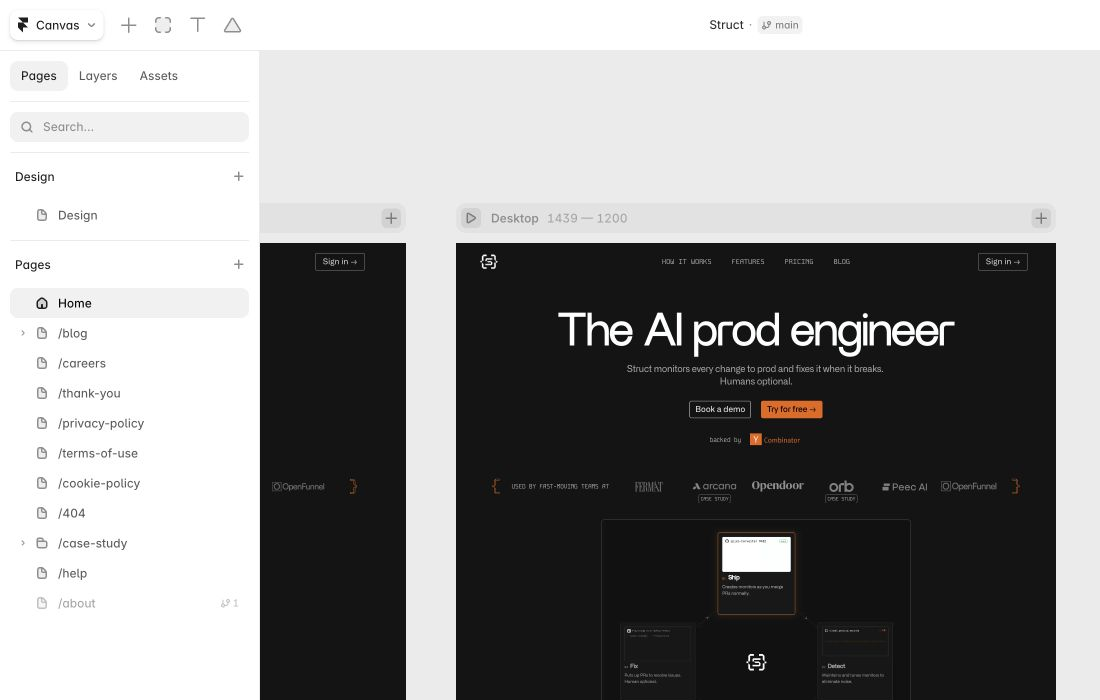
The original Framer project: page inventory beside the responsive homepage canvas.
2. Rebuild the site in a separate repository
We rebuilt the marketing pages in Next.js and ultimately gave the website its own GitHub repository, separate from the product application. That lets a blog edit deploy without redeploying the product.
Blogs, case studies, and supporting pages became Markdown files. Homepage copy and shared settings became JSON files. Images and fonts live alongside the code.
Codex handled implementation and checks through iterative instructions. We used Notion as a copy editing workspace.
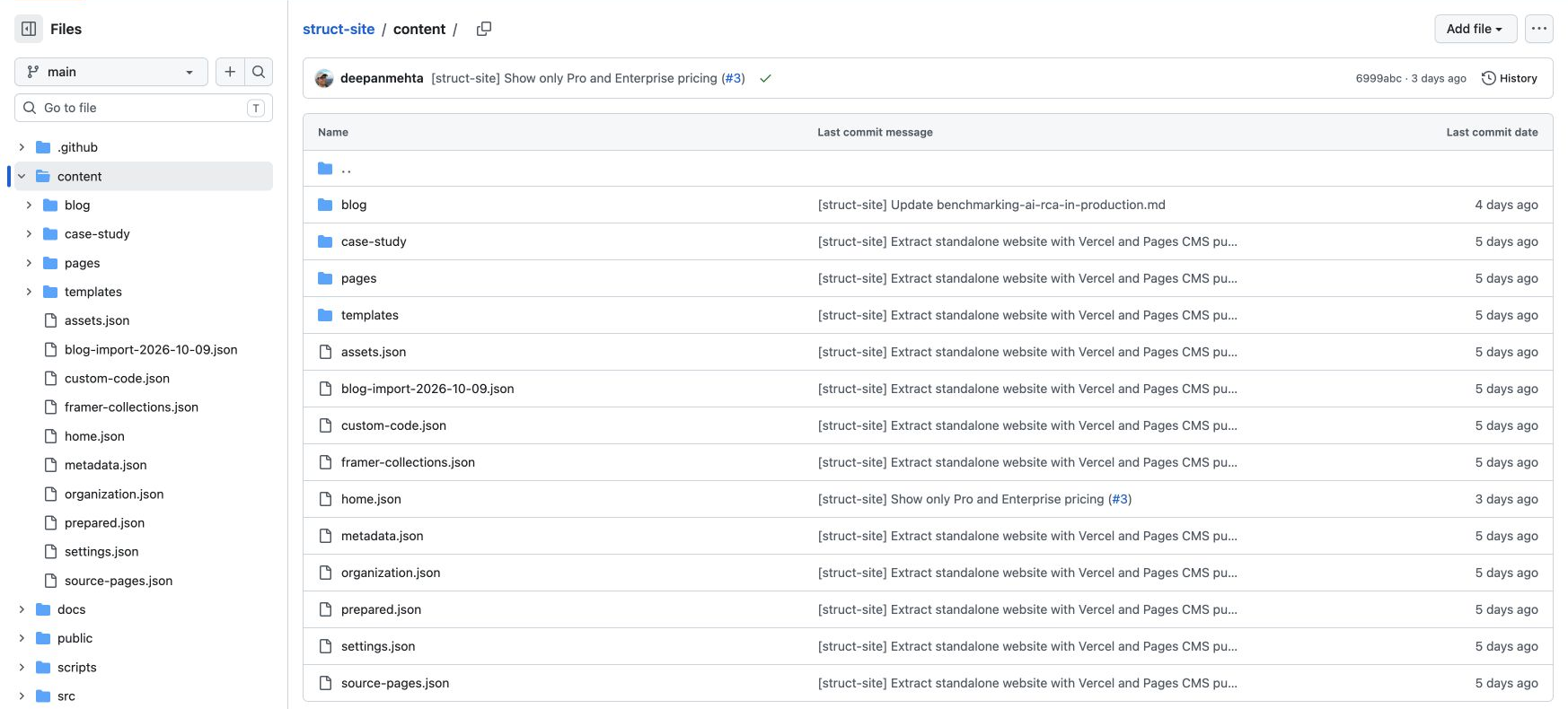
The standalone website repository keeps content, images, and code together.
3. Keep the content system simple
We initially explored a fuller CMS, then decided we only needed Markdown and images. The finished site has no CMS database or author login to maintain.
A post is a file like content/blog/my-post.md, with a small metadata block for its title, author, date, summary, and cover image. Images go in public/media/; placing an image between paragraphs in Markdown determines where it appears.
Pages CMS provides an optional browser editor for those same files. Codex or Claude can edit them directly without logging into Pages CMS. Both approaches create ordinary Git commits.
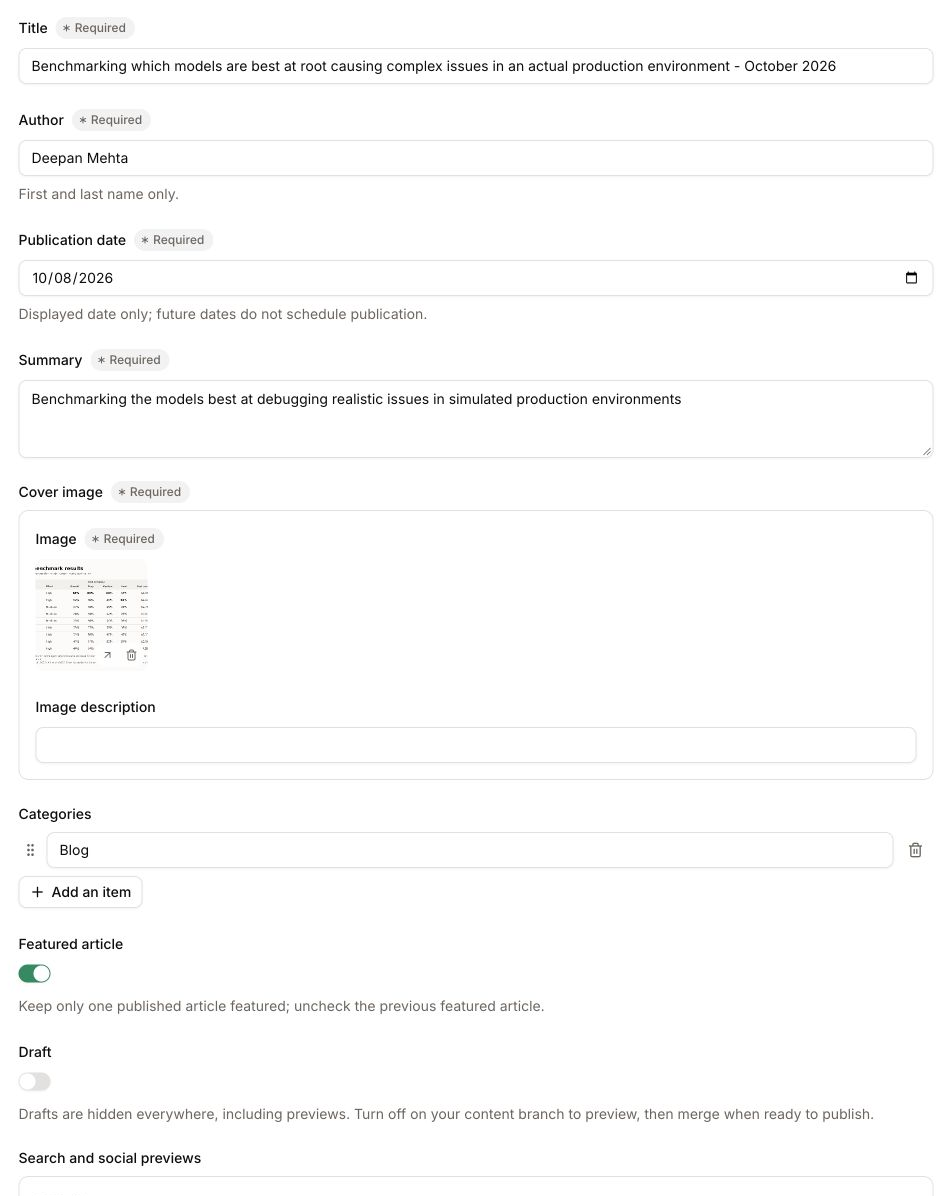
Pages CMS exposes article metadata, images, and draft controls.
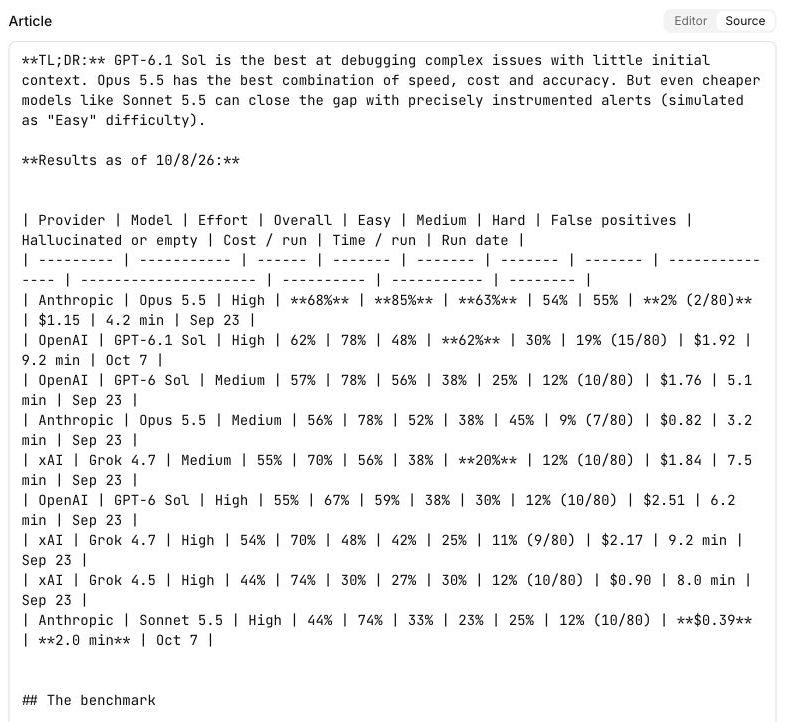
The same article can be edited directly as Markdown using Source.
4. Review the design in a real browser
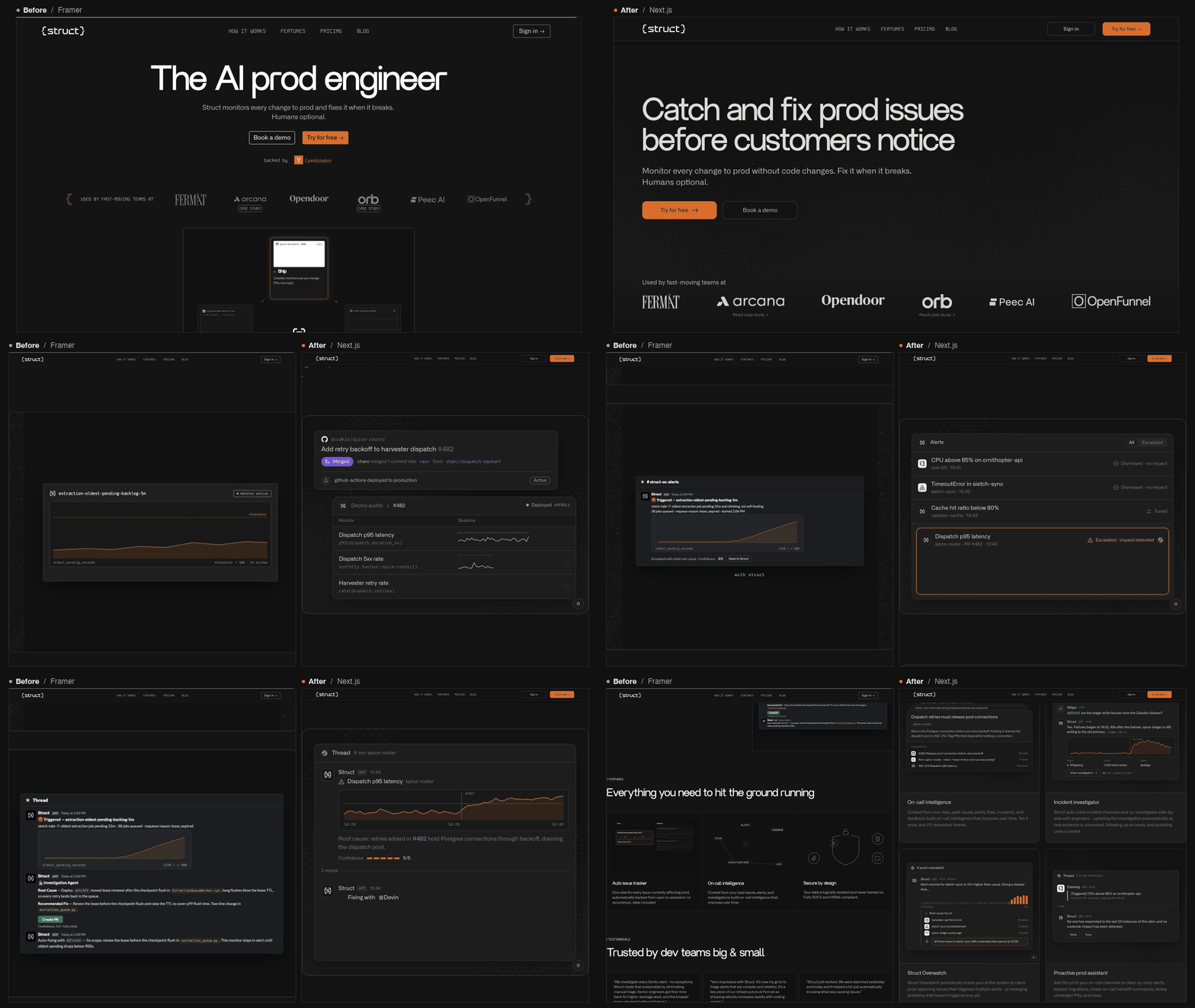
We kept the fonts, logo, and orange accent, while iterating on layout, typography, feature visuals, and adding a light/dark mode.
We first modernized the site - increasing spacing, creating a more responsive layout, header, and footer, as well as more consistent components. I then added some chrome inspired by a few sites I admire - like paper.design - including a subtly animated dithering background on the hero section that used one of their shaders.
For the site visualizations, including both static and animated images, I had codex take a first stab, but the output was nowhere near the mark. I had it hand off all of the context to Opus 5.5 through the Claude Code CLI got much better results.
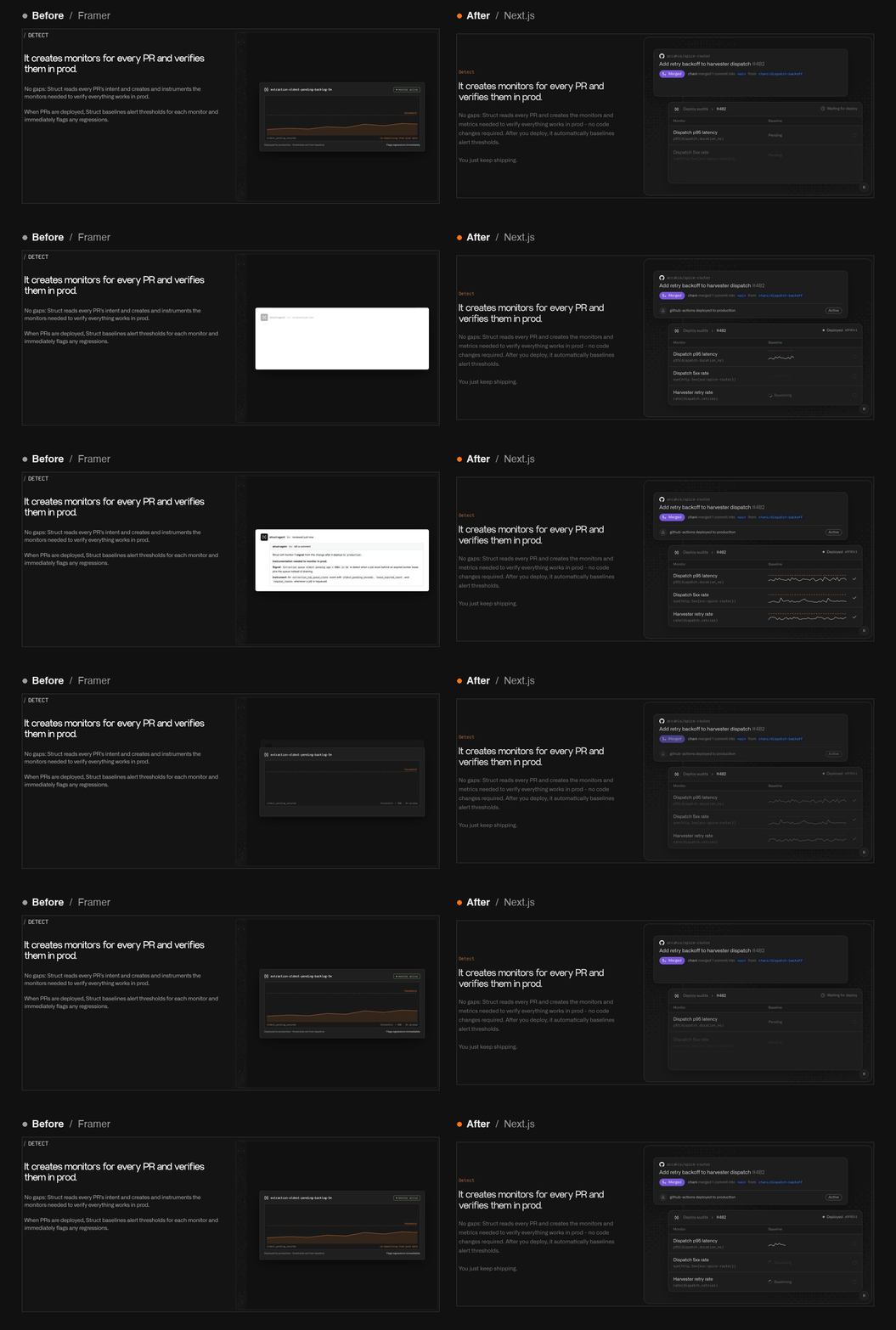
This was still fairly finicky and took some detailed back and forth to get right. For Opus 5.5, I found that starting with the intent behind the visualization was surprisingly helpful, because it got a lot better at emphasizing the right moments and animations.
The animated hero also needed failure handling. We added a solid background fallback, reduced-motion support, and cleanup for failed graphics contexts. Decorative effects should never make the page unreadable.
5. Set up previews before publishing
We chose Vercel for hosting and connected it to the standalone repository:
- A branch gets its own preview deployment.
- A pull request collects the edits and automated checks for review.
- Merging into
maintriggers the live deployment.
Ordinary previews have search indexing and analytics disabled. Production enables them. This keeps unfinished pages out of search and routine preview traffic out of analytics.
We may self-host this in the future, but for now Vercel is very convenient. Claude Code and Codex make it fairly straightforward to do either.
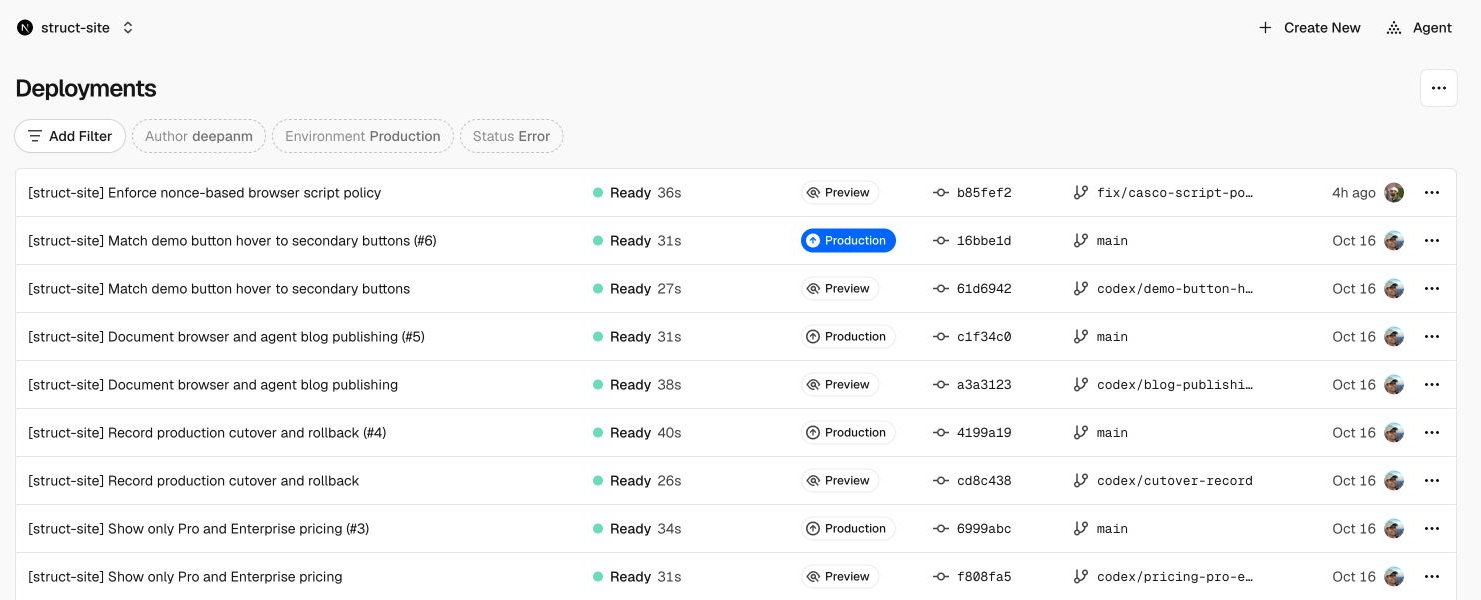
Vercel keeps branch previews separate from production deployments on main.
6. Check more than the homepage
Before switching traffic, compare the old and new sites: page addresses, redirects, titles, descriptions, canonical URLs, social previews, favicons, sitemaps, and analytics configuration.
We tested page responses, missing-page behavior, images, fonts, and the external content routes. After switching, we confirmed live PostHog pageviews and a demo-button event, saw pageviews in GA4, and ran Google Search Console live tests for the homepage and a blog post.
Google successfully processed the refreshed main sitemap, discovering 17 URLs. The existing Search Console property remained verified, with generative AI inclusion enabled. The external articles and agent-resources sections retained their own sitemaps.
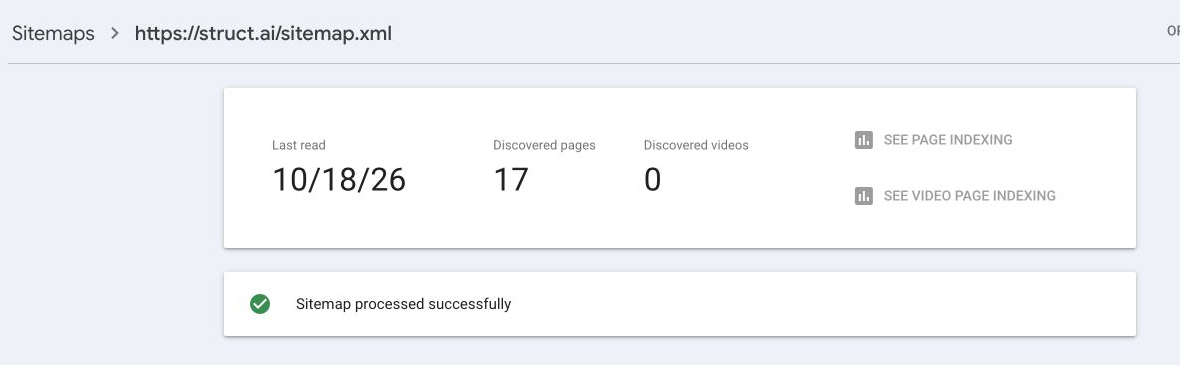
Search Console confirms the main sitemap was processed successfully, with 17 discovered pages.
7. Switch traffic with a rollback ready
We prepared HTTPS certificates before changing DNS, recorded the old settings, and kept Framer available for rollback.
Then we changed only the marketing site’s DNS targets. The main domain remained proxied through Cloudflare so the existing external-content rules continued working. We checked HTTPS, the www redirect, page addresses, and those external sections again after the switch.
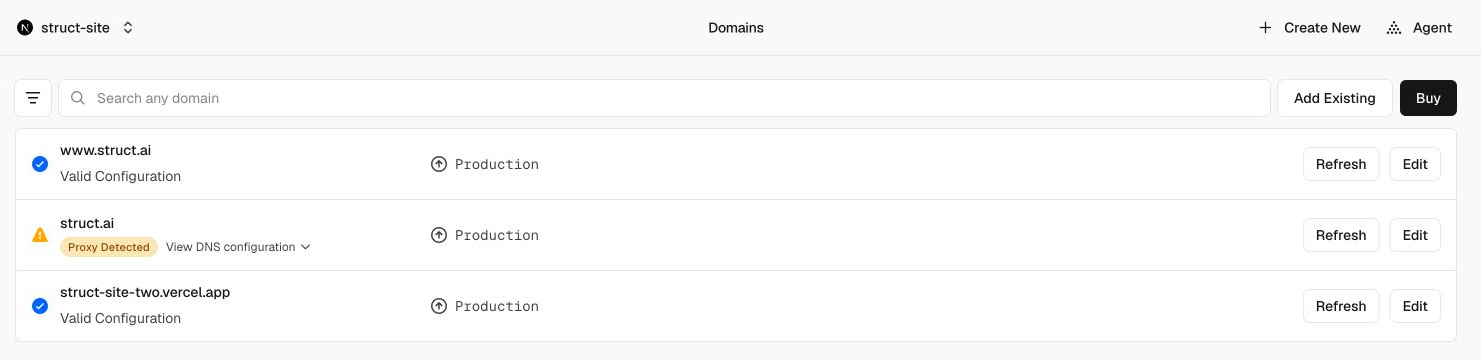
The production domains in Vercel. “Proxy Detected” reflects the Cloudflare proxy retained for the main domain.
Because the domain and retained page addresses stayed the same, we kept the existing Search Console property. We refreshed the sitemap submission; no Change of Address was needed.
The result is a website we can update through code or a browser, with previews before publication and a recoverable history of every content change.